

1602 16×2 LCD Keypad Shield For Arduino Uno Mega
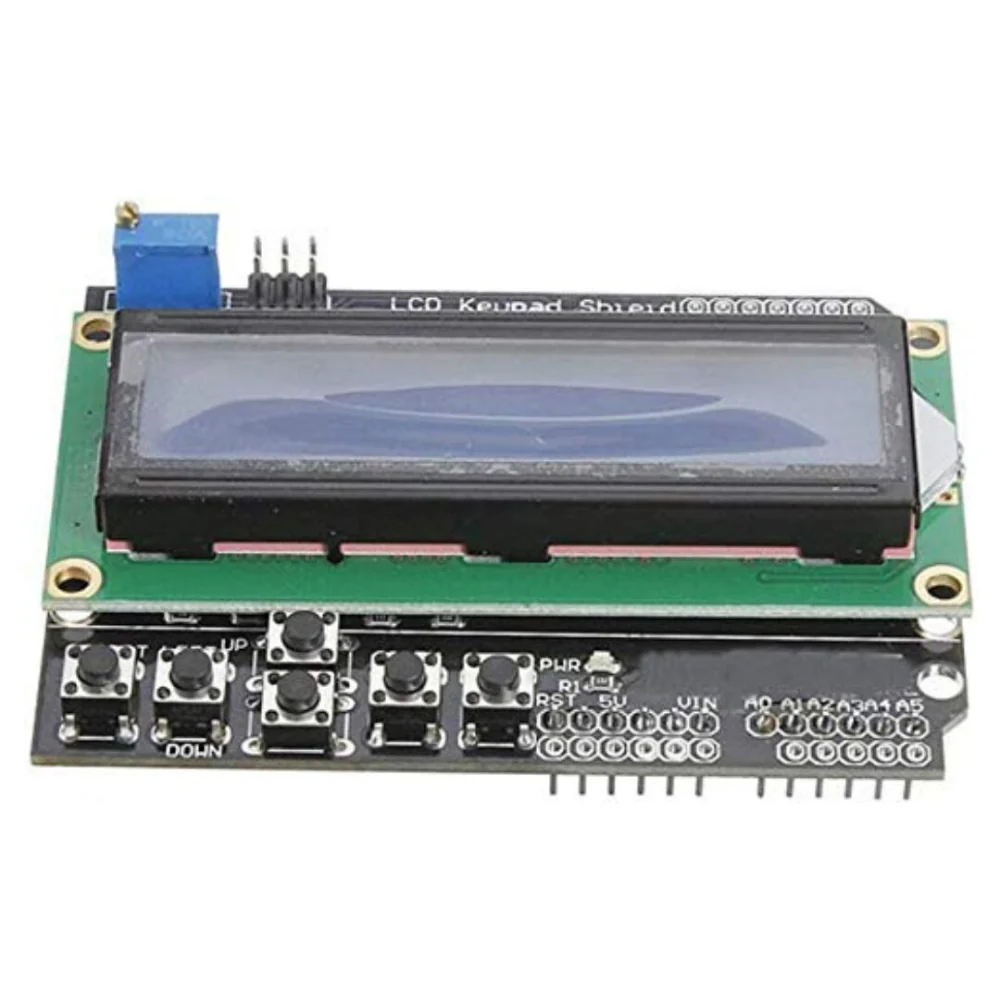
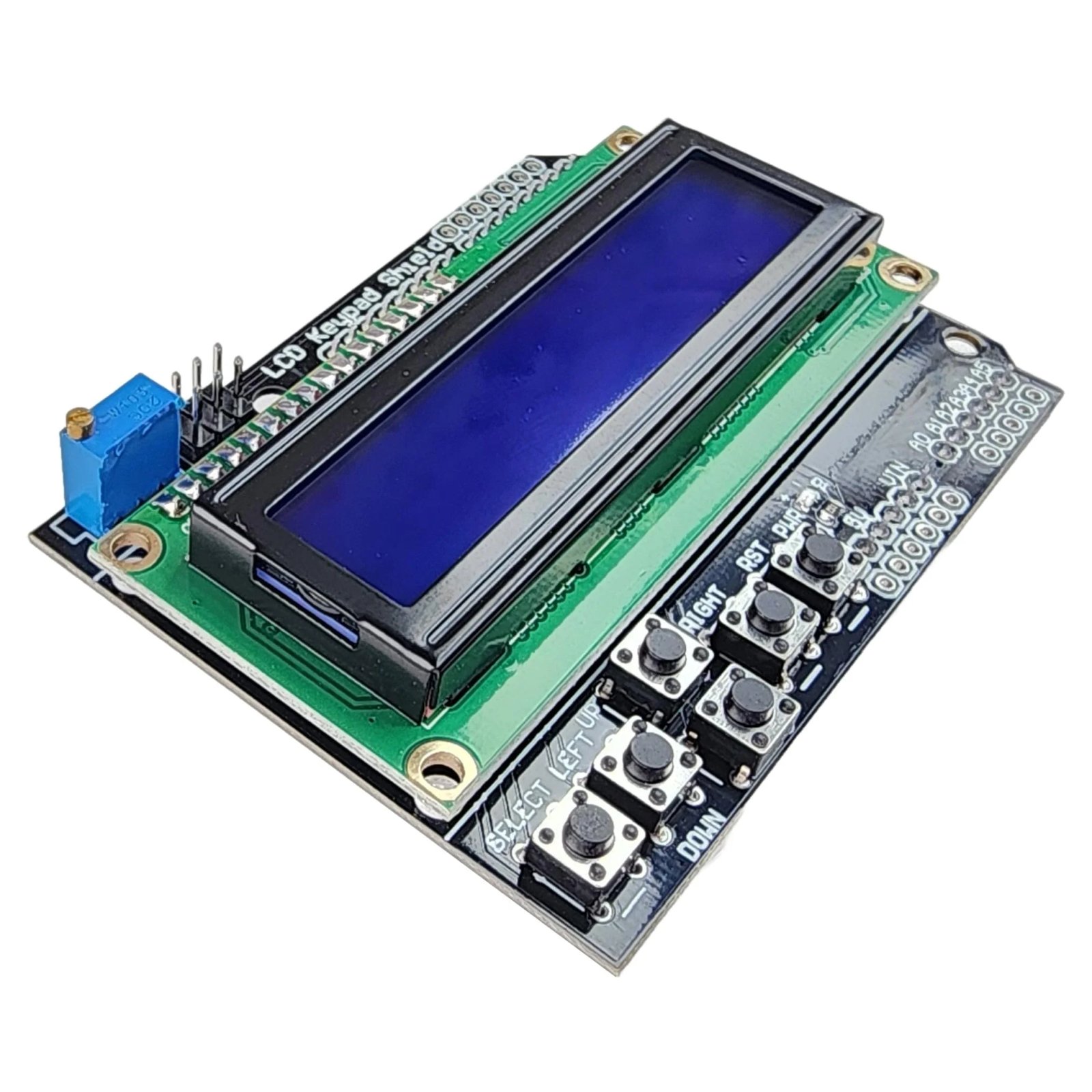
This is a very popular 16×2 LCD Keypad shield for Arduino or Freeduino board. It includes a 2×16 LCD display and 6 momentary push buttons. Pins 4, 5, 6, 7, 8, 9 and 10 are used to interface with the LCD. Analog Pin 0 is used to read the push buttons.
In stock
₨ 600
In stock
LCD 1602 Keypad Shield for Arduino Uno R3/R4, Mega, Integrated Keypad and Display for Arduino Projects
This is a very popular LCD Keypad shield for Arduino or Freeduino board. It includes a 2×16 LCD display and 6 momentary push buttons. Pins 4, 5, 6, 7, 8, 9 and 10 are used to interface with the LCD. Analog Pin 0 is used to read the push buttons. The LCD shield supports contrast adjustment and backlit on/off functions. It also expands analog pins for easy analog sensor reading and display.
The LCD Keypad shield is developed for Arduino compatible boards, to provide a user-friendly interface that allows users to go through the menu, make selections etc. It consists of a 1602 white character blue backlight LCD. The keypad consists of 5 keys — select, up, right, down and left. To save the digital IO pins, the keypad interface uses only one ADC channel. The key value is read through a 5 stage voltage divider.
Description & Key Features
- 16×2 Display: Features a character LCD (typically blue backlight with white text) capable of displaying 32 characters total (16 columns, 2 rows).
- Keypad Input: Contains 6 pushbuttons: 5 navigation keys (Select, Left, Up, Down, Right) and a single Reset button for the Arduino.
- Analog Key Reading: To save digital I/O pins, the 5 keypad buttons are mapped to a single analog input (A0) via a voltage divider.
- Adjustable Contrast: Includes an on-board potentiometer for adjusting the display contrast.
- Backlight Control: The backlight is typically connected to Digital Pin 10, allowing the code to turn it on/off or change brightness (PWM).
- Expanded Headers: Provides broken-out header pins for analog pins (A1-A5) and unused digital pins for sensor connections.
Specifications
- Operating Voltage: 5V DC
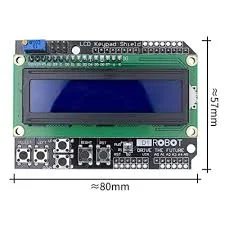
- Dimensions: Approx. 80mm x 58mm
- Display Type: 16×2 Character LCD (HD44780 compatible)
- Pin Requirement: Digital pins 4-10 (4-bit mode) and Analog Pin A0
- Color: Blue background with White backlight
Pin Configuration
The shield typically uses the following Arduino pin mapping:
| LCD Function | Arduino Pin |
|---|---|
| Register Select (RS) | Digital 8 |
| Enable (E) | Digital 9 |
| Data 4 (DB4) | Digital 4 |
| Data 5 (DB5) | Digital 5 |
| Data 6 (DB6) | Digital 6 |
| Data 7 (DB7) | Digital 7 |
| Backlight Control | Digital 10 |
| Buttons (All) | Analog 0 |
Typical Applications
- Interactive Menu Systems: Building navigated menus to change settings.
- Data Monitoring: Displaying sensor data (e.g., Temperature, Humidity).
- Robotics Control: Providing manual control over robot movement.
- Standalone Projects: Clocks, timers, or simple game consoles.
Usage Tips
- Library: The standard
LiquidCrystallibrary is used to control this shield. - Initializer: In your code, use:
LiquidCrystal lcd(8, 9, 4, 5, 6, 7);. - Button Reading: Use
analogRead(0)to read the buttons, with different voltage thresholds distinguishing each key. - I2C Alternative: Some versions have an I2C backpack attached, which only requires 2 pins (SDA/SCL) instead of the standard 7-8 pins.

- Operating Voltage:5V
- 5 Push buttons to supply a custom menu control panel
- RST button for resetting arduino program
- Integrate a potentiometer for adjusting the backlight
- Expanded available I/O pins
- Expanded Analog Pinout with standard DFRobot configuration for fast sensor extension
- Dimension: 80 x 58 mm
Based on 1 review
Add a review
You must be logged in to post a review.
Related products
-
Compatibles for Arduino, Mainboards, Modules and Breakout Boards
Transparent Acrylic Case Shell For Arduino Mega R3
 Compatibles for Arduino, Mainboards, Modules and Breakout Boards
Transparent Acrylic Case Shell For Arduino Mega R3
This MEGA 2560 acrylic enclosure fits the Arduino Mega 2560 and compatible boards. The enclosure helps to protect the board while still providing access to the connectors and reset button.
It comes with the 3mm thick acrylic pieces and the hardware required to assemble the case and to mount the Arduino Mega 2560 or compatible board inside the case. It does not come with the Mega 2560.
SKU: 0799 -
Compatibles for Arduino, Mainboards, Modules and Breakout Boards
ARDUINO Leonardo ATmega32u4 BOARD
Arduino Leonardo Development Board is a microcontroller board based on the ATmega32u4. It has 20 digital input/output pins, a 16 MHz crystal oscillator, a micro USB connection. Buy online in Pakistan at Electrobes.
SKU: 0105


Mohammad Javed (verified owner) –
Nice one
Mohammad Javed –